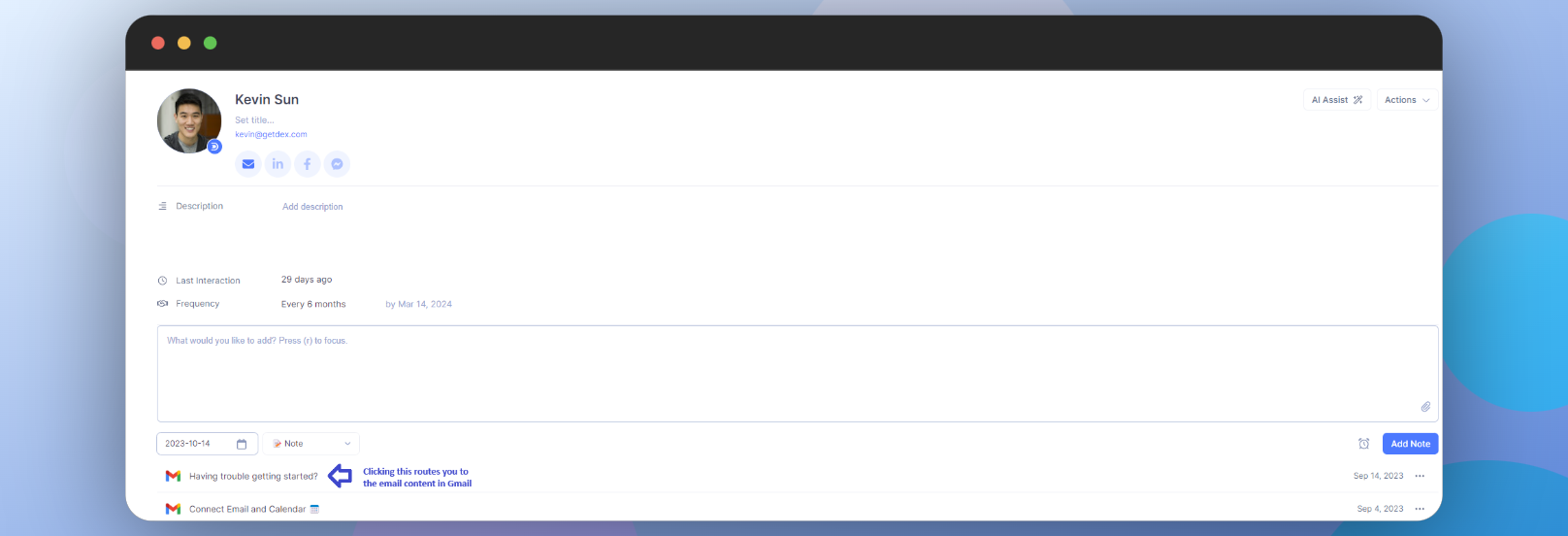

- The sync shows only metadata (subject and date/time of emails).
- The initial sync takes several hours, but subsequent syncs complete in under 2 minutes. Currently, only Gmail and G Suite accounts are supported.
Getting Started
Go to your Sync & Integrations page
From the home page, click on the dropdown icon at the top-right corner and choose Sync & Integrations.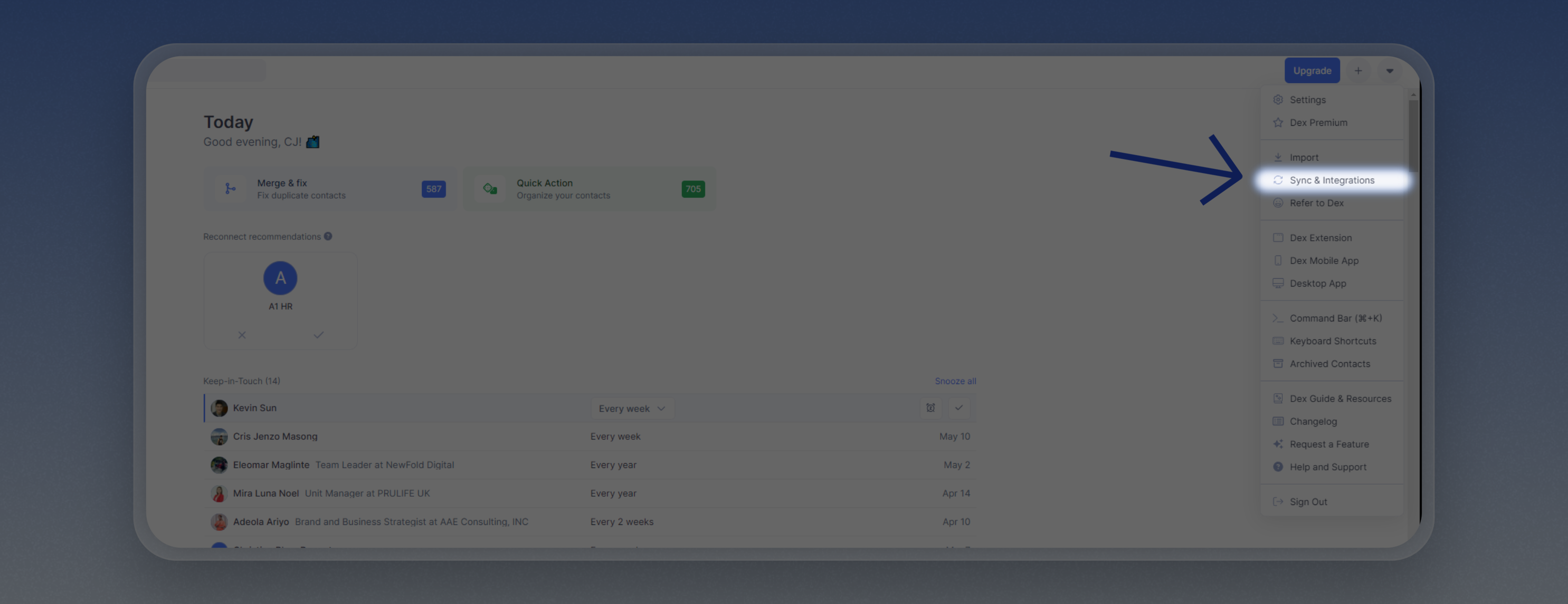
Connect your Gmail Account
On the Gmail section, click on “Connect Account” and follow the login prompts.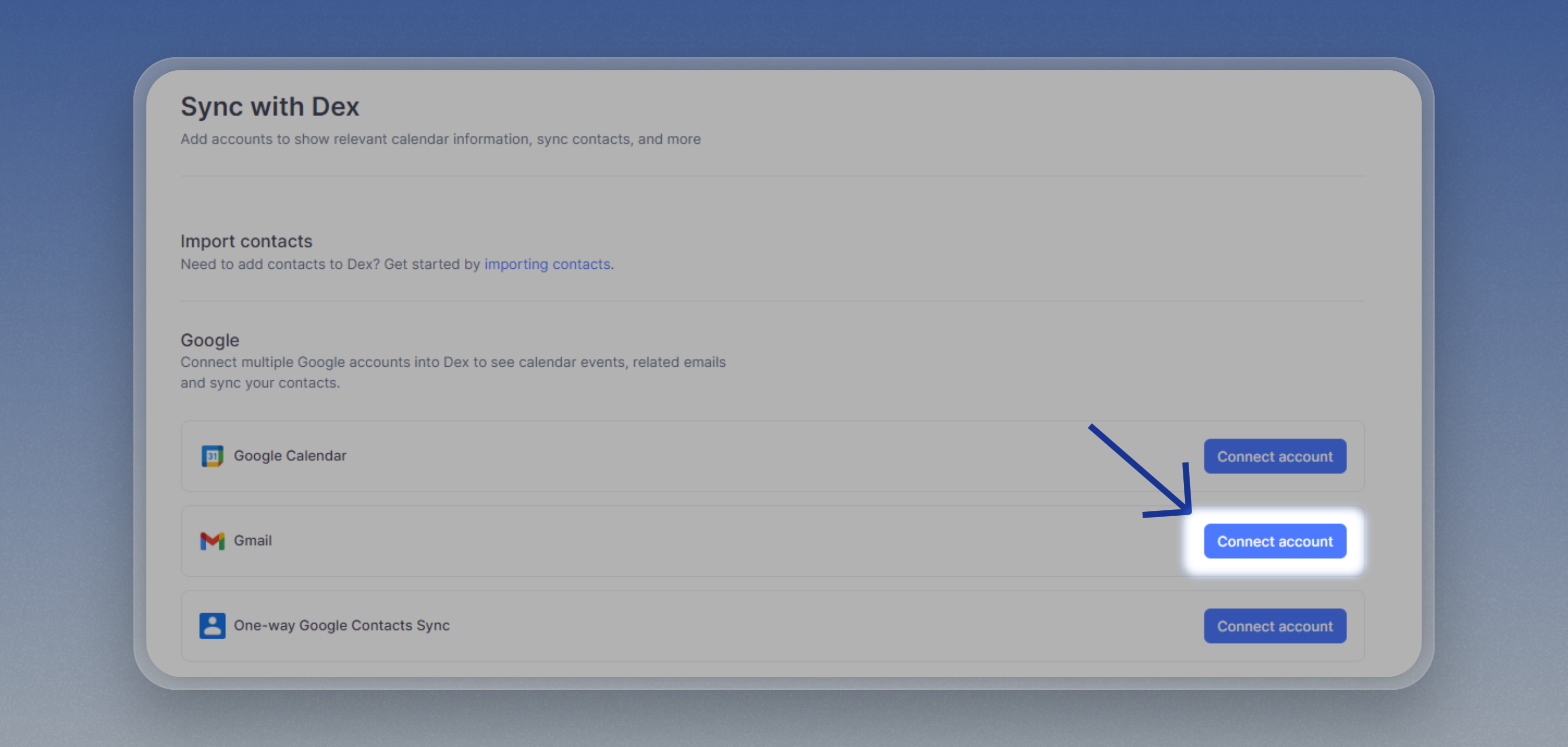
Import your Gmail contacts
To start seeing the tracked emails, make sure to import your Gmail contacts if you haven’t already. Check the guide below for more information: Importing from Emails
If you have contacts with an email address you exchanged emails with, you’ll see the synced threads as well.
Opening the Email Content
Clicking on the synced emails will route you to Gmail with the body of the email opened.