

- Automatically update the last interaction based on emails and calendar events
- View relevant calendar events and email threads for each contact
- Search across multiple calendars and email subjects
- Add notes to calendar events with ease
- Send email straight from Dex: open a Contact, click Actions › Send email, and compose/send without leaving Dex.
- Enable auto-add: automatically add people you email or meet moving forward
💡 Dex Professional Required: Outlook sync is available only on the Dex Professional plan.
What’s New?
- Real-time sync: Emails and calendar events are reflected on Dex almost instantly.
- Auto-add workflow: Automatically create Dex contacts for people you email or meet (forward-looking only).
- Send emails from Dex: Open a contact → click Actions › Send email to compose directly from Dex.
- Smarter contact linking: Dex matches contacts based on email address or calendar attendee name.
Getting Started
Go to your Sync & Integrations page
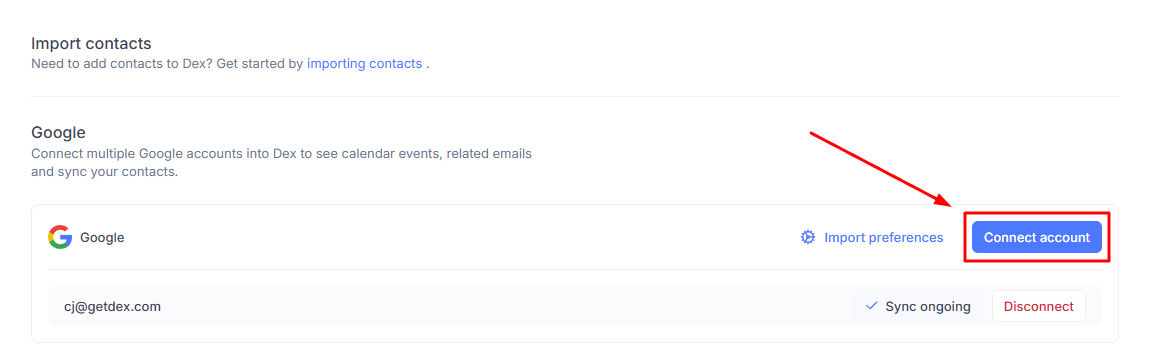
From the home page, click the dropdown icon at the top-right corner and choose Sync & Integrations.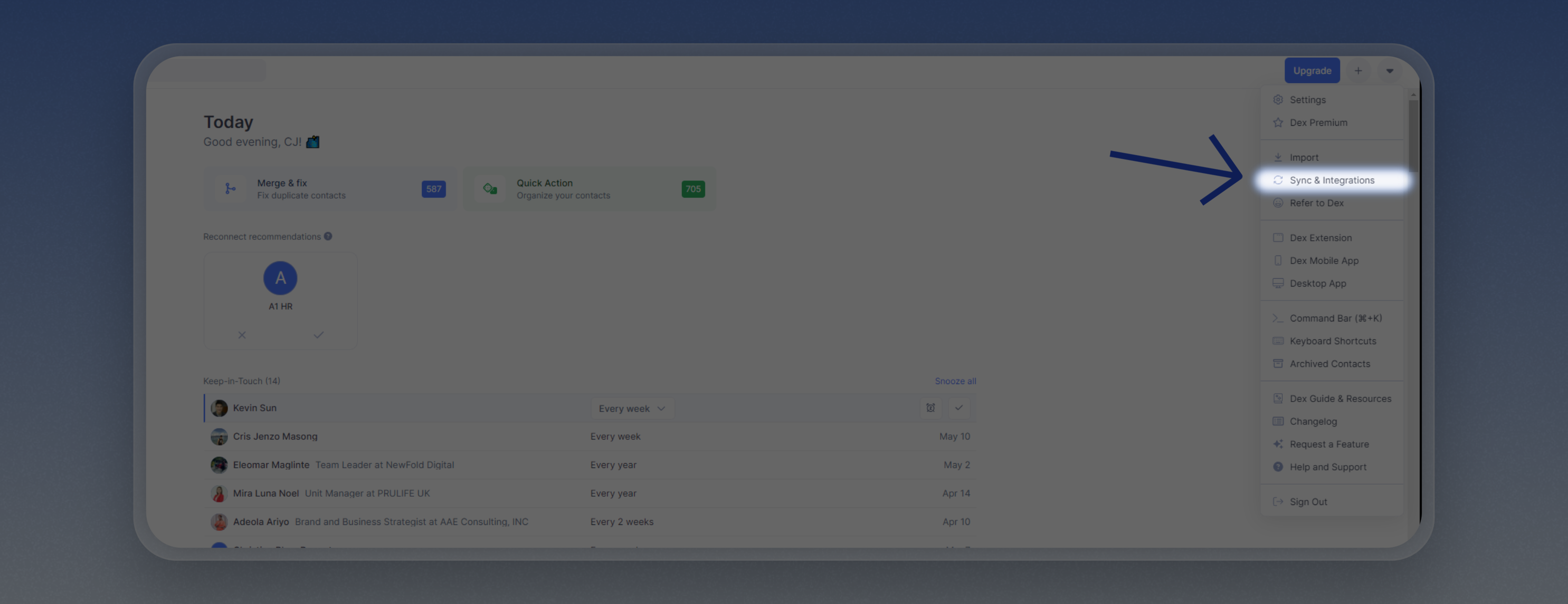
Email Sync Details
- Clicking on an email in Dex will open Outlook Web (
https://outlook.office.com/mail/). - Unlike Gmail, Outlook links may not open the specific thread directly due to platform limitations, but will take you to your inbox.
Calendar Sync Details
- Dex shows relevant events where the contact’s email is listed as an attendee, or where their name matches the calendar invite.
-
Dex syncs the primary calendar for each connected Outlook account.
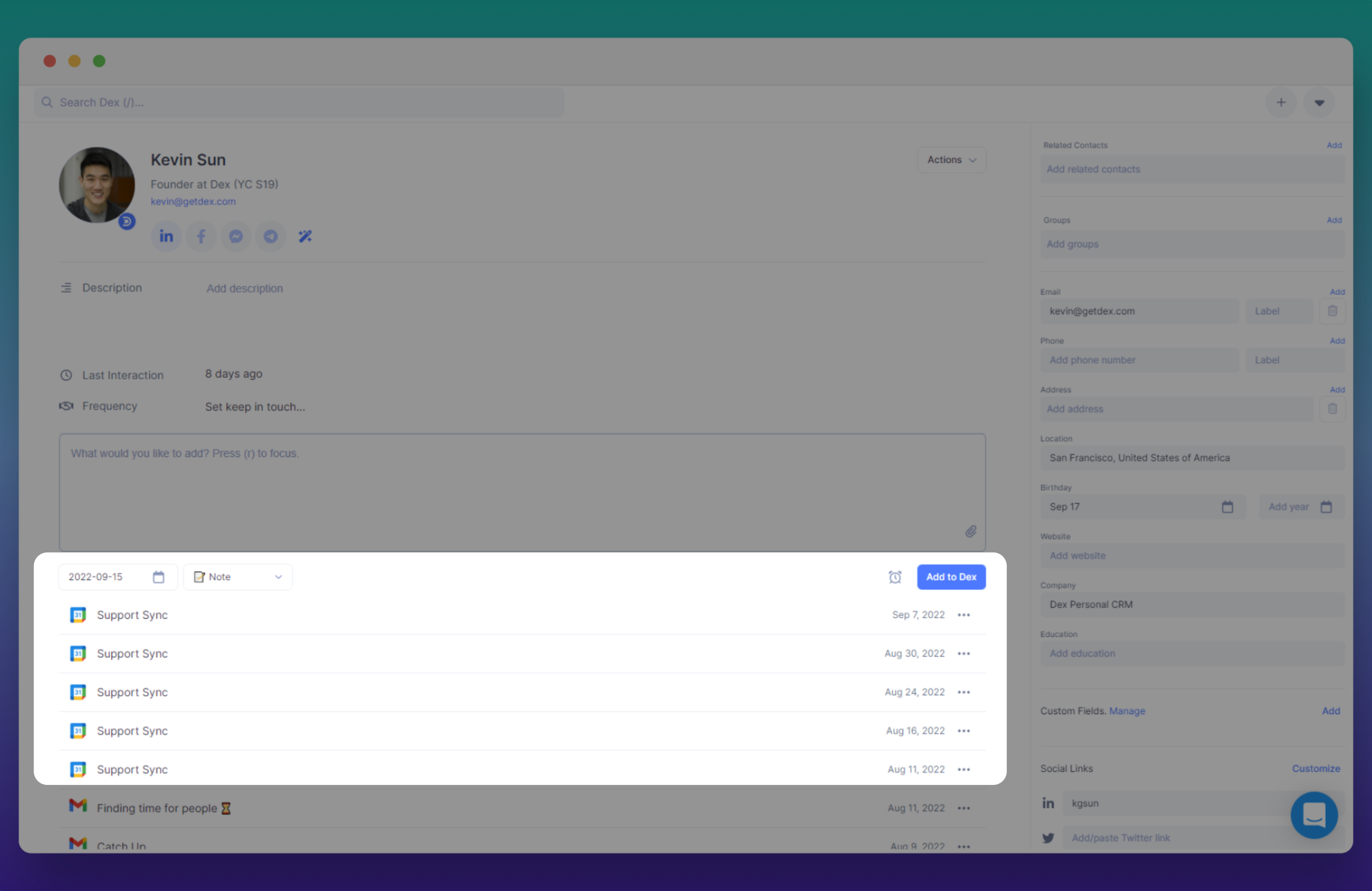
- You can add notes to calendar events directly within Dex.
Things to Know
- Dex Professional: This feature requires a Dex Professional subscription.
- Initial sync may take a few minutes; after that, changes sync almost instantly.
- Works with Outlook.com and Office 365 accounts.
- You can manage multiple Outlook accounts from the same Sync & Integrations page.
- You can set a Primary Account to handle default email workflows and agent interactions if you have multiple accounts connected.